David
Blumenau
Menu

Developer / Copenhagen

I make the tools
I wish existed.

I'm David, a developer in Copenhagen. I build creative workspaces, tools that keep AI work moving, and small apps for everyday jobs.

78 seconds · Silent · English captions

A small tour of the work.

Actual product captures, a recorded recovery experiment and working browser tools. World is an interactive illustration; the native answer was chosen by automated Computer Use.
About these scenes

The teapot images show completed generations. Attention shows the actual Mac exchange on build 121; the separate later build 128 observation is outside this edit. Recovery uses one continuing local engine process. World uses the recorded answer and starts no new task.

From a small idea
to a working thing.
01 / PanelForge
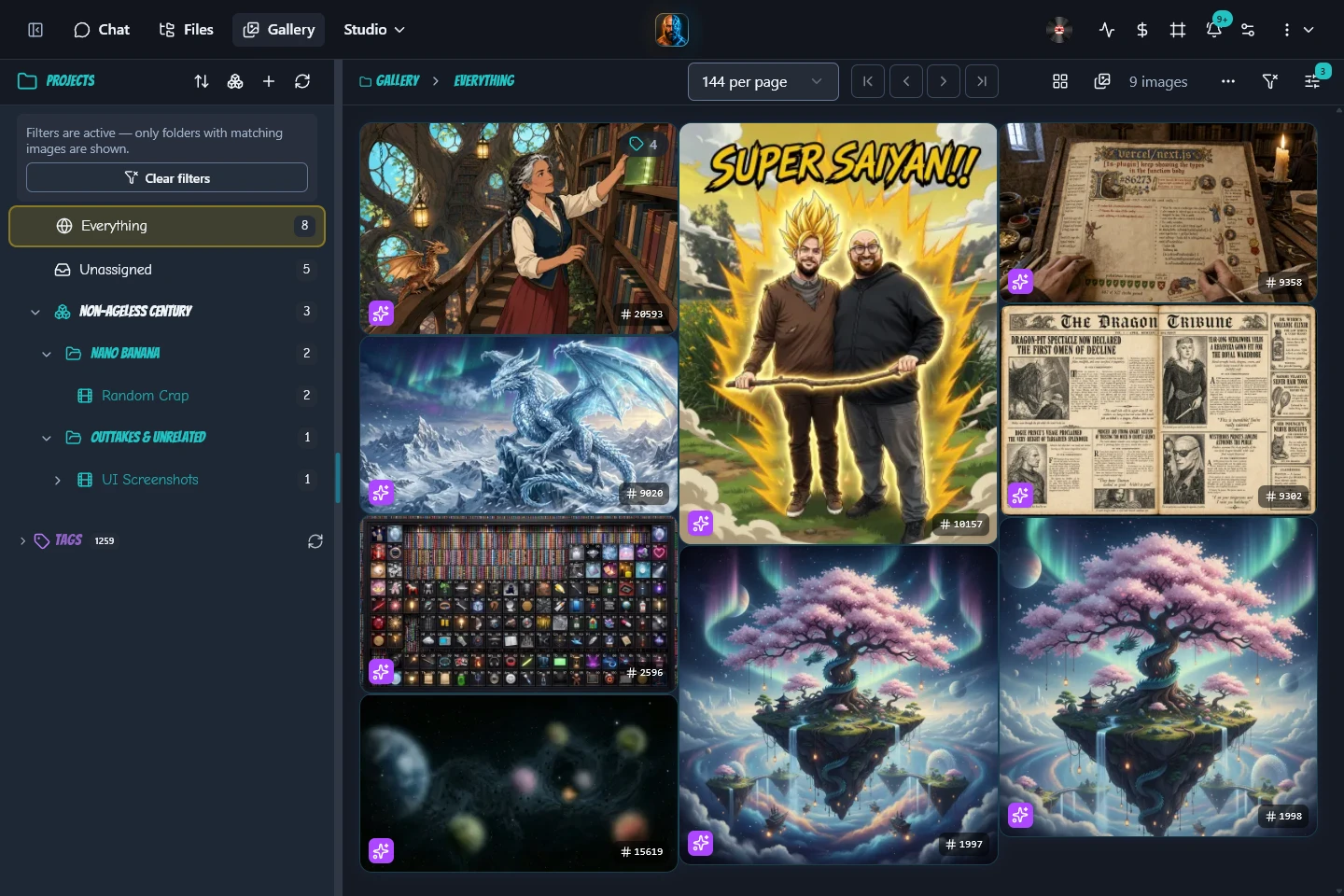
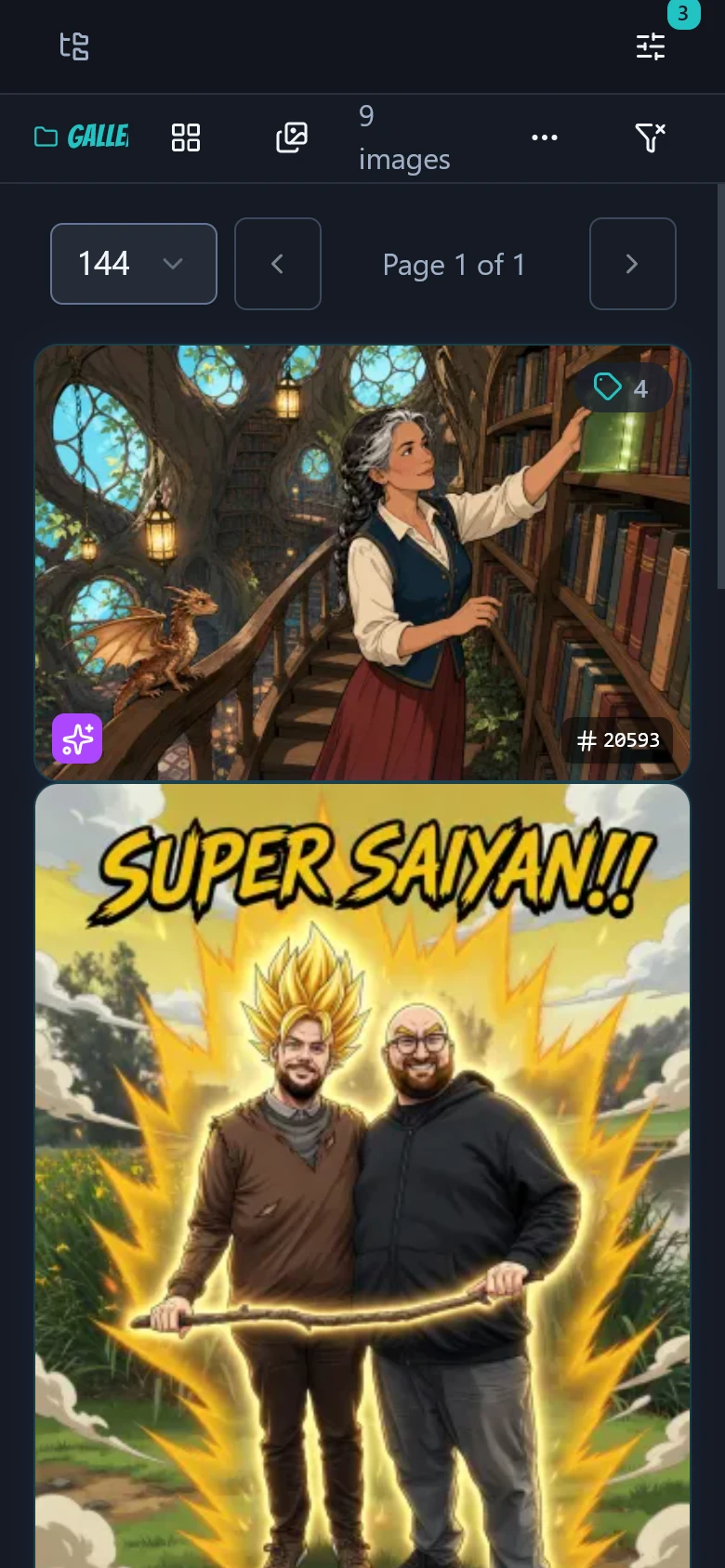
A preview of the PanelForge image gallery.

Selected projects, from the visible interface to the less visible plumbing.

Scroll to explore

Another way into the work

A place you can
look around.

Walk through the connected projects, try a small part for yourself, or follow an idea back to the change that made it work.

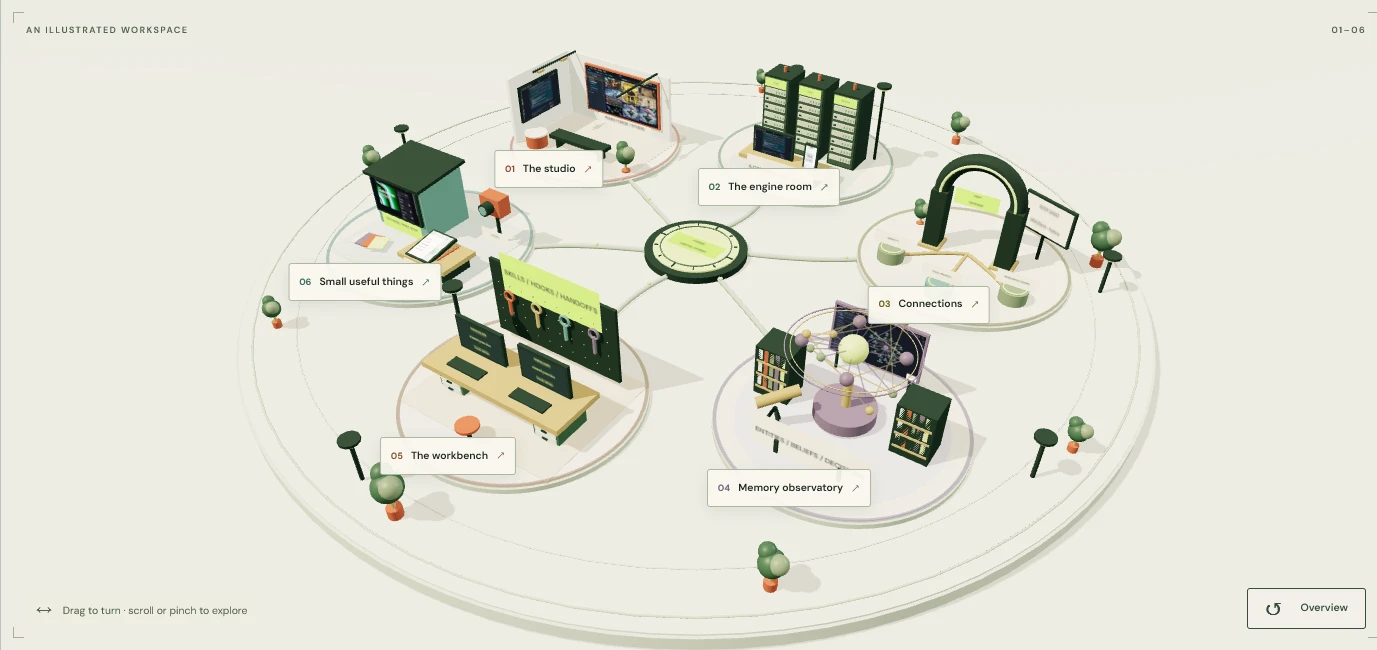
A miniature world with a gallery, engine room, tool gateway, memory observatory, workbench and small workshop.
An interactive illustrated mapEnter Forge World

02Behind the screen

The parts that make it hold together.

The interfaces connect to agent engines, shared tools, inspectable memory and versioned setup for the coding agents.

View 01

Start with what a person sees.

PanelForge is the web workspace. The Apple client brings conversations to another screen. Both use the engine services to reach agent runtimes through a shared stream format.

Two ways into the work. A shared engine boundary.

03Smaller tools, real jobs

Sometimes the right size is small.

A few focused projects with a straightforward purpose. Different interfaces, the same interest in making something useful.

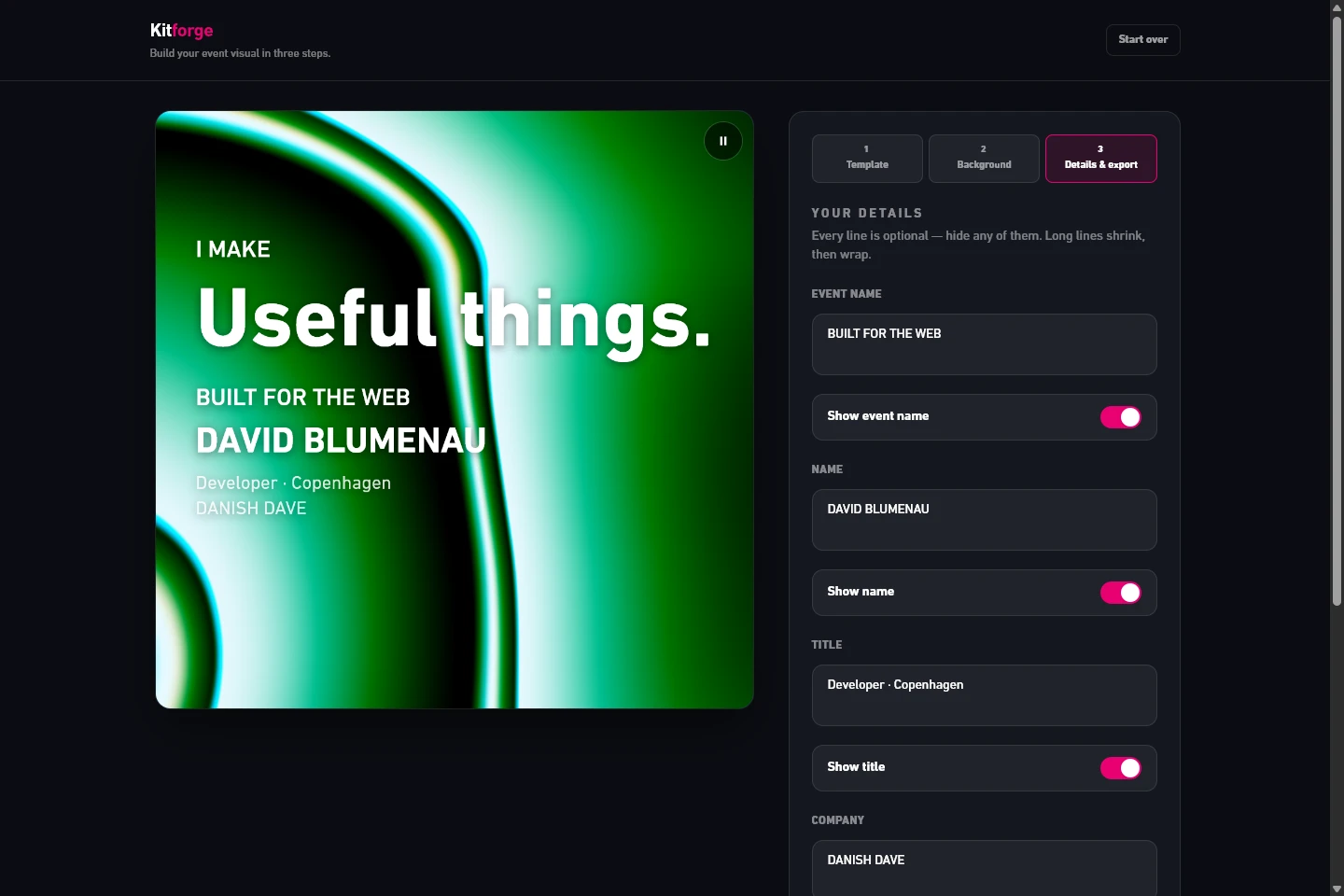
Browser toolKitforge browser editor with a social tile preview and design controls.

Live browser application · sample card · edited recording

Kitforge / Browser graphics + video

Make a tile and a looping clip.

Choose a look, add a photo and a few words, then export a JPG or looping MP4. The photo stays in the browser. One rendering function keeps the preview and exports tied to the same composition.

Open Kitforge

Recorded in the product

A walk through Kitforge

Live browser application · sample card · edited recordingEdit the wording of a sample card and switch between animated backgrounds while the same composition updates in the browser. This recording demonstrates editing and live preview.
What happens in this recording

Live browser application · sample card · edited recording

Edit the wording of a sample card and switch between animated backgrounds while the same composition updates in the browser. This recording demonstrates editing and live preview.

Make your own in the Studio Lab
And this is the actual export.

The same tool produced this four-second, 1080-pixel looping MP4. It is a fictional sample card, exported directly from the working application.

Download the sample MP4 Actual exported file · fictional sample · 4 seconds · 3 MB
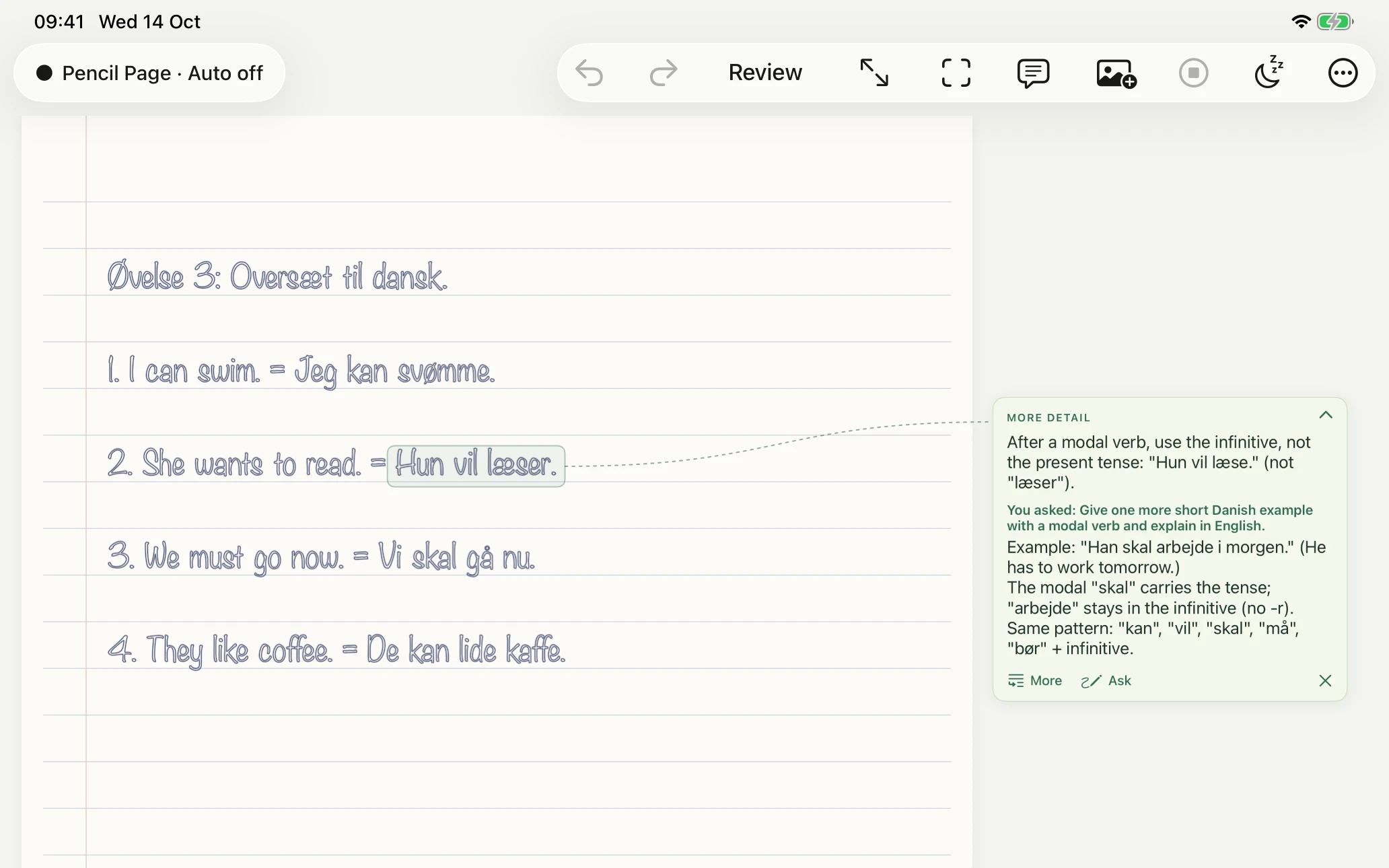

Early iPad projectPencil Page in an iPad simulator, with a synthetic Danish exercise and a real AI margin note correcting a verb form.

Synthetic demo ink · real Opus 5.5 feedback · edited recording.

Pencil Page / Handwriting + margin notes

A page with room for a reply.

A native iPad experiment built around one growing handwritten page. AI feedback appears in the margin. Inserted exercise sheets give it the printed instructions to read alongside the pen strokes.

Explore the timing behind the notes

Recorded in the product

A walk through Pencil Page

Synthetic demo ink · real Opus 5.5 feedback · edited recording.A synthetic Danish exercise is sent for manual review. A real margin note corrects a modal-verb error, a follow-up adds an example, and the note folds and unfolds. Cuts remove waiting time.
What happens in this recording

Synthetic demo ink · real Opus 5.5 feedback · edited recording.

A synthetic Danish exercise is sent for manual review. A real margin note corrects a modal-verb error, a follow-up adds an example, and the note folds and unfolds. Cuts remove waiting time.

Also on the workbench

Legobro

An iPad photobooth takes a selfie, generates a collectible-figure style and shows a before-and-after preview. Email and printing paths complete the flow.

SwiftUI + camera

Photo Archive

An archive separates original files from rebuildable search and enrichment data. Hash-checked manifests and curation receipts make the changes traceable.

Archiving + data careInspect the index rebuild

Danish listening

A local study tool combines aligned audio, subtitles and a waveform. Select and loop a passage, then revisit it on a phone or tablet.

Local study toolTry the listening interface

04The work after it works

The little changes are part of the story.

A release can add a whole workspace. It can also stop a quiet agent being interrupted, or make a transcript easier to read. These changes explain how the products became usable.

  1. Major

    One gallery to navigate

    PanelForge brought browsing and the gallery together, with a project tree and bulk assignment. Viewing and organising an image could happen in the same place.

    PanelForgeweb-v3.0.0
  2. Minor

    Motion in the same composition

    Kitforge added animated shader backgrounds. The browser preview and exports use the same rendering function, keeping the layout consistent in a JPG or looping MP4.

    Kitforgev0.5.0
  3. Patch

    A preview before opening

    Code History gained a session peek. A weekly digest could now lead to a quick preview before someone opened the full transcript.

    PanelForgeweb-v10.20.95
Explore the complete release map

Historical milestones from repository release tags. Tags mark source checkpoints. Their dates can differ from deployment and public launch dates.

05 A little about how I work

Follow the
problem through.

David Blumenau smiling outdoors in a snowy landscape.
David Blumenau · developer in Copenhagen

These projects started with specific problems: finding an image again, keeping an agent’s answer when a connection drops, making a social graphic without opening a design app. Some stayed small. PanelForge became the workspace that connects much of the rest. I use AI coding agents in that process and make the product decisions myself.

I also write about what happens when these tools become part of everyday life. Sometimes the story is technical. Sometimes it involves an unreasonable number of agents.

Read my writing