Store the edit before sending it
The device keeps the draft and retries queued changes. Monotonic edit timestamps handle a clock moving backwards; version history preserves rejected stale writes for recovery.
Case study 06 / Conference Notes
A conference notebook that carries a participant’s notes into an organiser’s review and an editable presentation. Writing works through a connection loss, and a generated theme keeps a path back to the notes behind it.
25 slides. Editable tables and charts.Preview the 25-slide PDF.A PDF from the actual app, using fictional conference notes.01The starting point
A conference produces more than a set of slides. People leave with questions, suggestions and ideas that are easy to lose between the session and the follow-up meeting. I built a notebook around that journey: capture a takeaway, find the recurring themes, and bring the material into the next discussion.
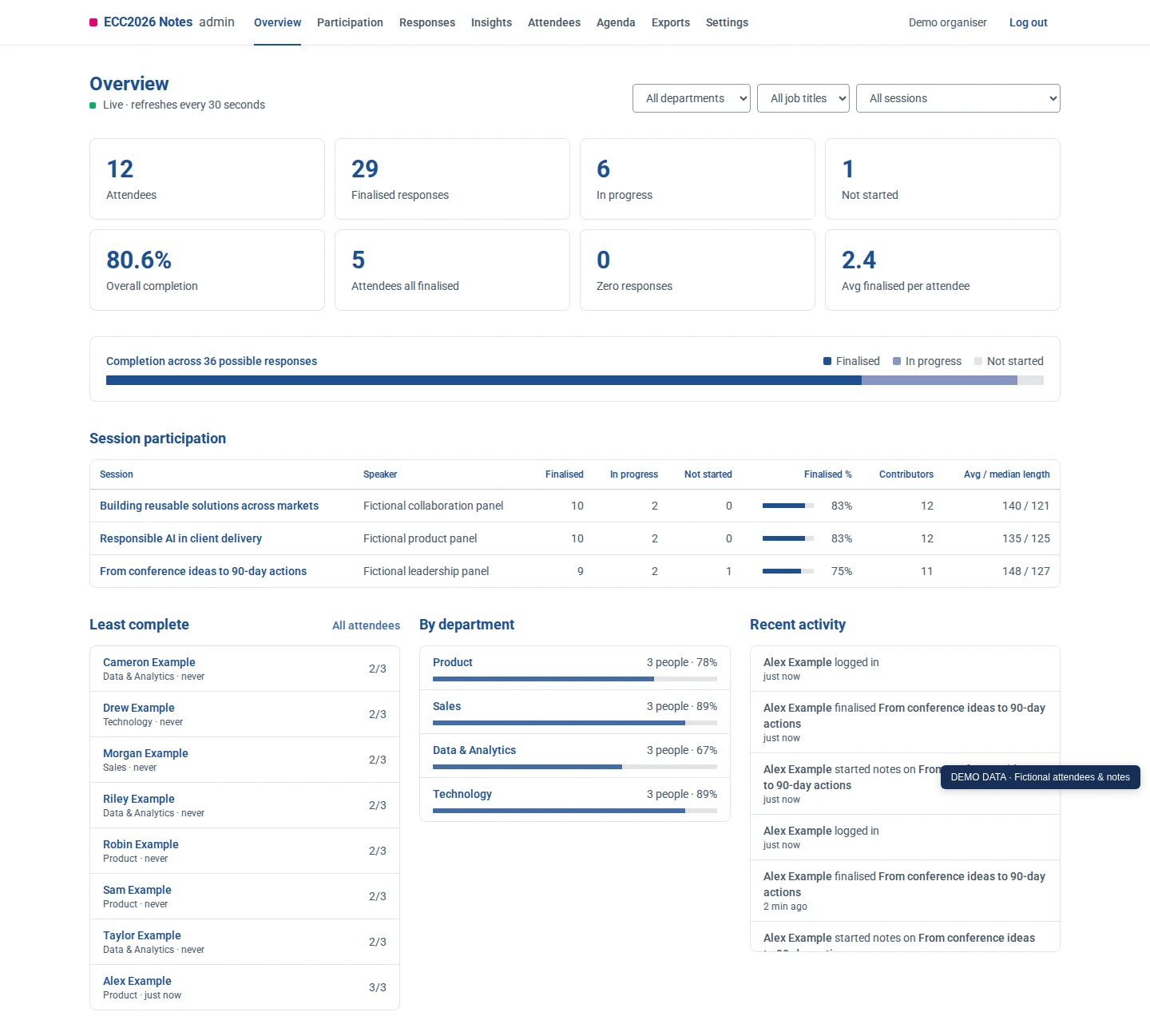
The attendee view has a short agenda and one place to write for each session. The organiser view brings together participation, searchable responses and an optional analysis. A theme can be opened to reveal its supporting notes before it reaches the presentation.
The details matter in a room full of phones. An interrupted connection should not discard a draft. Finishing a response offline should be a clear state. And the exported deck needs editable text, tables and charts so the organiser can make it their own.
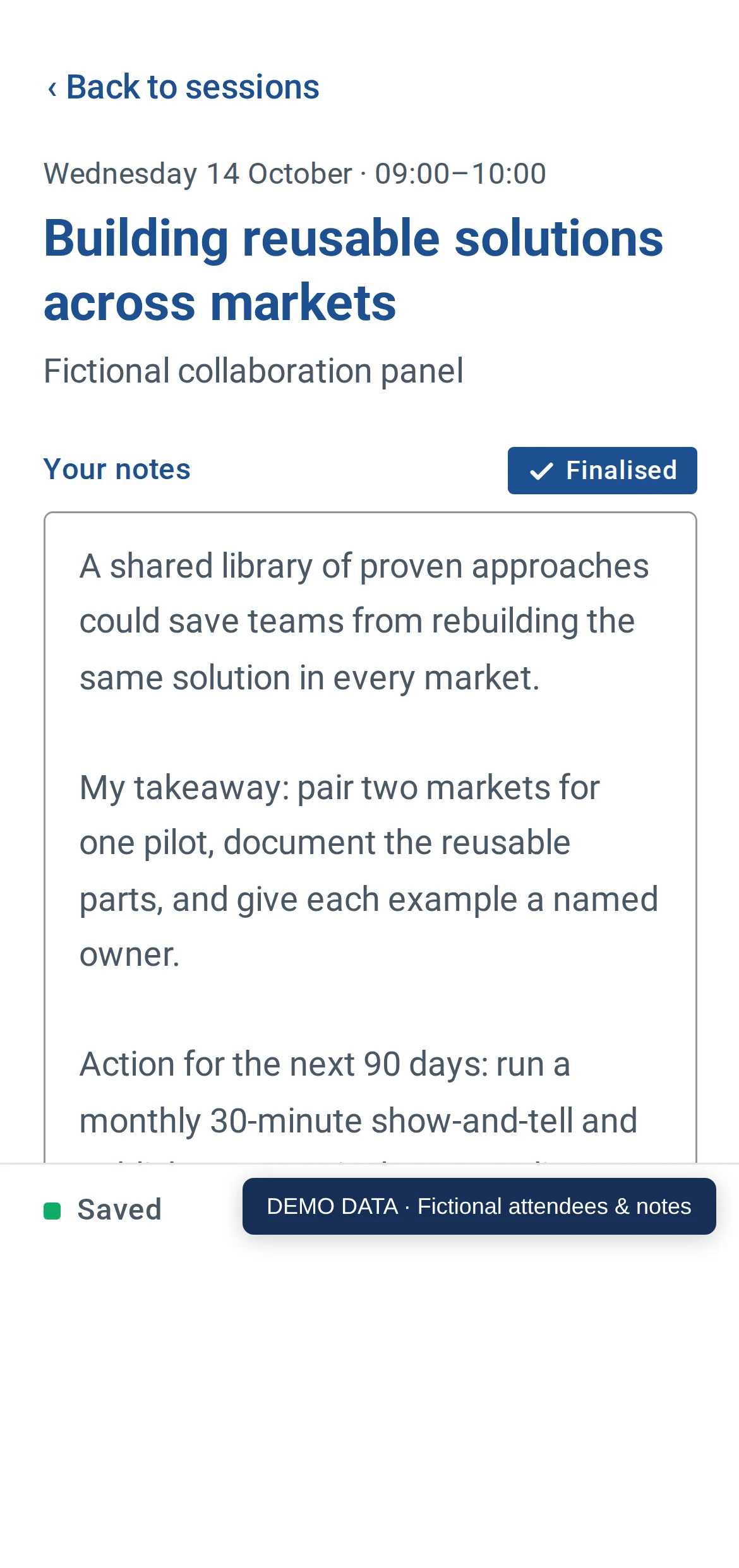
The actual application with fictional conference data. Desktop shows the organiser view; phone shows an attendee’s saved note.Select the image to explore the details.
02What the workflow looks like
Choose a session and start writing. Each edit reaches device storage before the network request; a visible save status explains where the draft is held.
A local outbox queues the draft and finalisation. When the connection returns, the notebook synchronises the response. Finalised notes can be reopened for further edits.
Organisers review participation and responses, then inspect an analysis with source-note links. Support counts are recalculated from validated citations; interpretation stays distinct from quoted material.
Select the presentation sections and download a PowerPoint. The output retains native text, tables and charts for the follow-up meeting.
Recorded in the product
Fictional conference data · actual application and Claude analysis · real-time recording
An attendee writes a response, finalises it offline and reconnects. The organiser reviews participation, searches responses, opens the source notes behind a completed analysis and downloads an editable PowerPoint. Analysis was completed before recording.
The result leaves the application
This sample was generated by the actual app from the fictional notes in the demonstration. Open the PowerPoint to edit its text, tables and charts, or read the PDF.
 Read the sample presentation
 Generated sample
PowerPoint 5.9 MB · PDF 636 KB
Fictional notes and generated analysis. Personal template-author metadata removed; slide content unchanged.
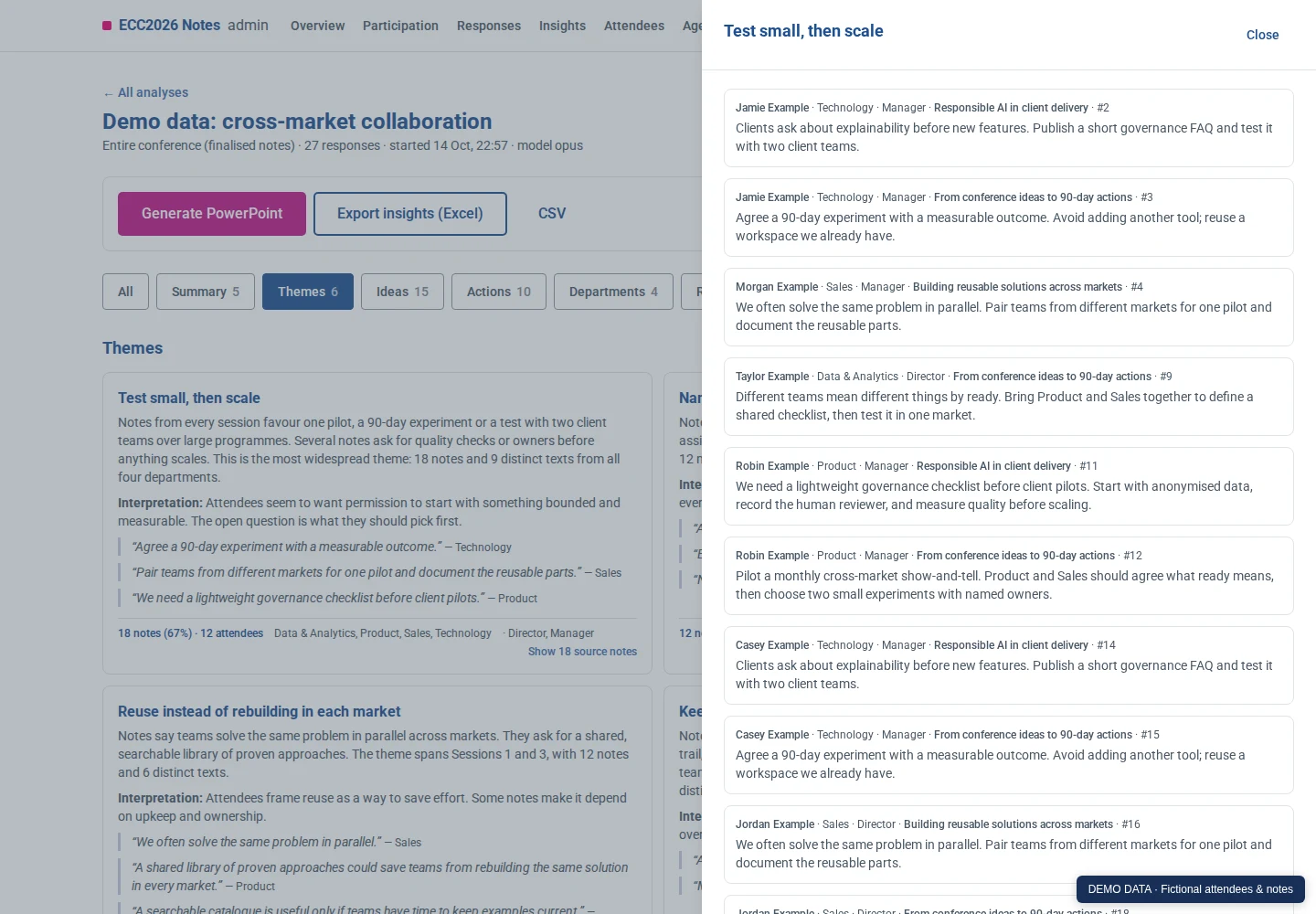
The theme drawer exposes the supporting responses. This small fixture deliberately repeats some notes; the actual analysis flags that repetition. Source counts need interpretation before they become conclusions.
Actual analysis and source-note drawer, using fictional conference responses.Select the image to explore the details.
03Design + engineering
The device keeps the draft and retries queued changes. Monotonic edit timestamps handle a clock moving backwards; version history preserves rejected stale writes for recovery.
A Cloudflare Worker and Durable Object collect the notes. A separate processor handles queued analysis, so an unavailable model processor can delay insights without stopping note-taking.
Analysis receives note text and role context without attendee names or email addresses. Validated source references let an organiser inspect the evidence and decide what deserves a place in the deck.
The notebook was embedded in another page. Its own browser storage was deliberately blocked, and the notes server was temporarily unavailable. The containing page kept a confirmed copy. After a reload, the note and queued finalisation returned; when the server recovered, it saved the exact note.
Controlled local test. Actual app and parent-storage bridge in Chromium, with fictional conference data. Page files stayed available while the notes API returned 503. The storage failure was injected. The containing page was explicitly trusted with the notebook data.
Summary of the recorded states
The note, unchanged through the reload
Agree on one clear owner before each handover.
A second page reload retained the saved result.
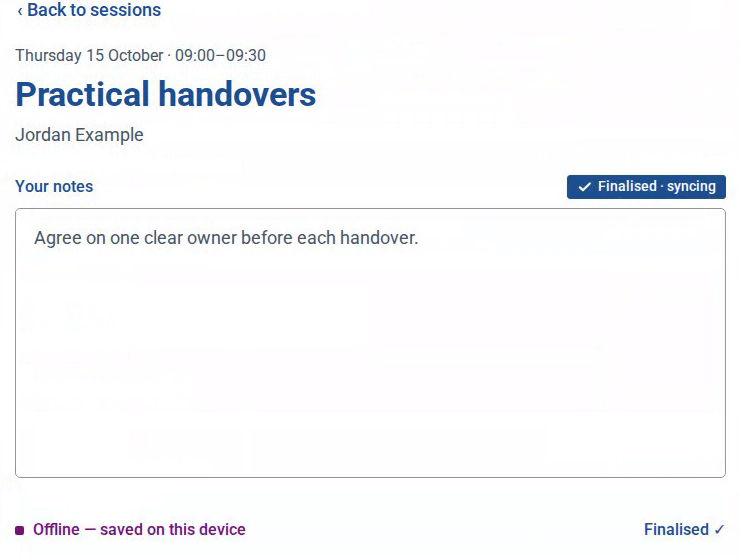
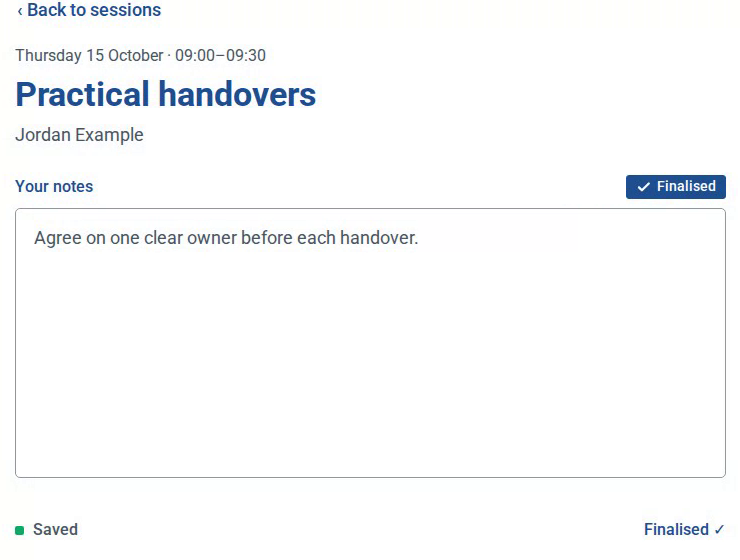
Actual desktop video-frame crops, with the note and save labels retained. Select either image to inspect it at full size. The excluded parent header and outage controls belonged to the test harness, not production attendee controls.
The unchanged app used its actual trusted-parent bridge and local storage. A matching acknowledgement confirmed each saved revision. The normal retry timer completed finalisation after the API returned; no app state was injected to restore the note.
A separate run in Safari 27 on Intel macOS 26.7.1 passed the same injected-storage and API-outage scenario, including both reloads, the exact server note and acknowledged pending clear.
The images and state summary above are from Chromium. These controlled results do not establish natural browser storage policy, whole-network offline loading, browser-restart or indefinite retention, a production deployment, or a general security guarantee.
For this recovery proof, 25 focused source tests and six bridge browser tests passed. The attendee suite had three passes and one stale expectation for an intentionally removed full-screen link; the whole suite is not claimed to pass.
Read the selected recovery checks04Selected release history
These are historical changes recorded in repository tags. The capture and current-state notes below describe what is being shown here.
Stale writes gained retained history and monotonic edit times, addressing a race found while testing offline finalisation.
v0.1.0Conference collection moved to Cloudflare with a separate analysis processor. Capturing and exporting responses no longer depended on the model-processing host.
v1.0.0Attendee filter chips wrap as whole pills on narrow screens. This tagged source is the version used for the captured demonstration.
v1.1.1About the material shown here
Selected screenshots and edited recordings accompany changes checked against repository history through October 2026.
The captures show an isolated run of the real v1.1.1 application with fictional attendees and notes. The actual Claude subscription pipeline analysed 27 notes from 12 fictional attendees across three invented sessions. The recording reviews that completed analysis, then downloads a presentation. Counts shown here describe the demonstration, not a real event.
The original September 2026 build conversation establishes the notebook-to-presentation workflow. Source tags verify the collection split, retained write history and small-phone refinement. This demonstration independently exercised Chromium, an emulated phone viewport, offline finalisation, real analysis and the PowerPoint export; 49 existing API, analysis and deck tests passed. It does not establish current production deployment or physical Safari behavior.
Product imagery uses selected material prepared for this portfolio. Recordings show the interface in use. Architecture graphics describe system relationships and do not show live service availability.