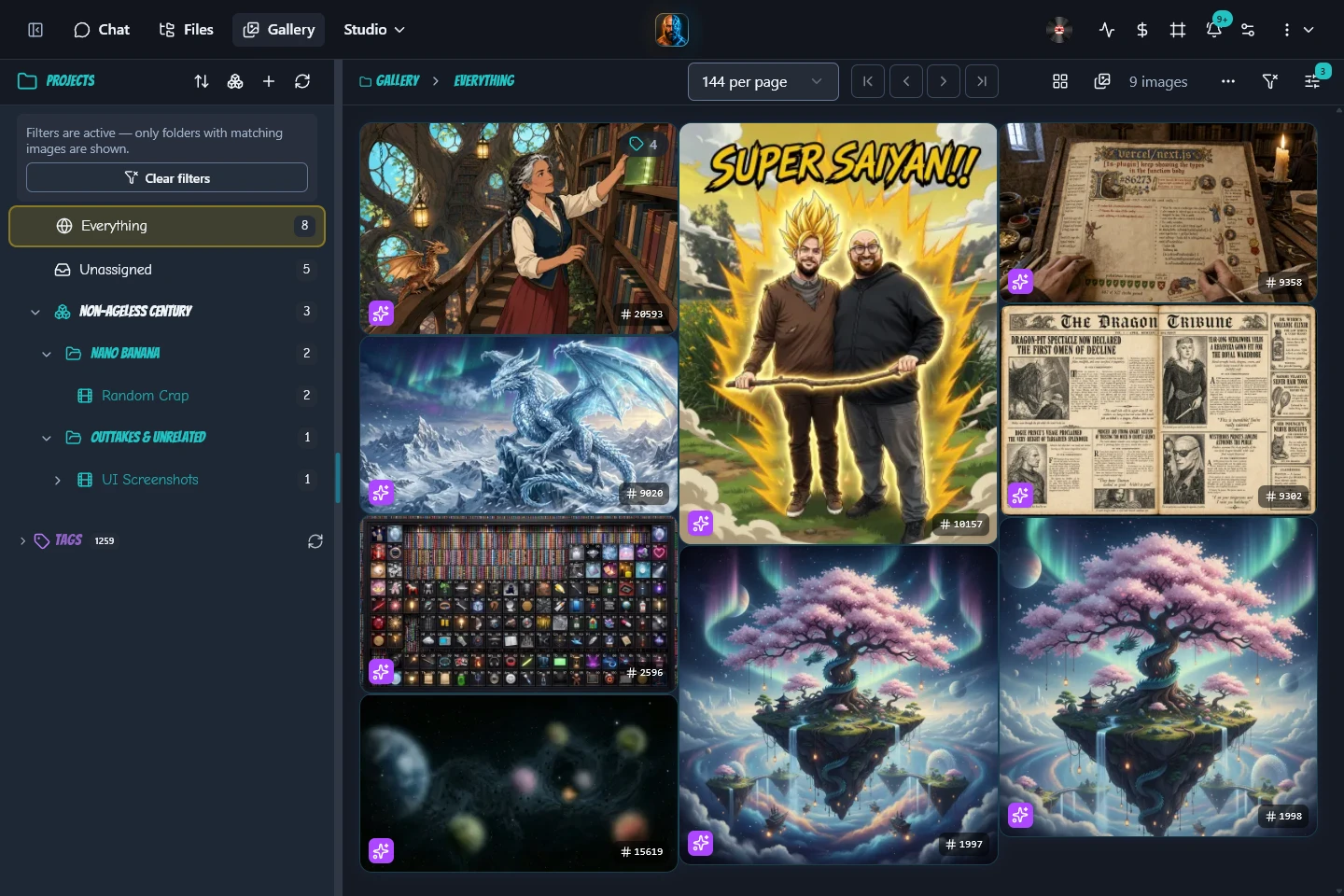
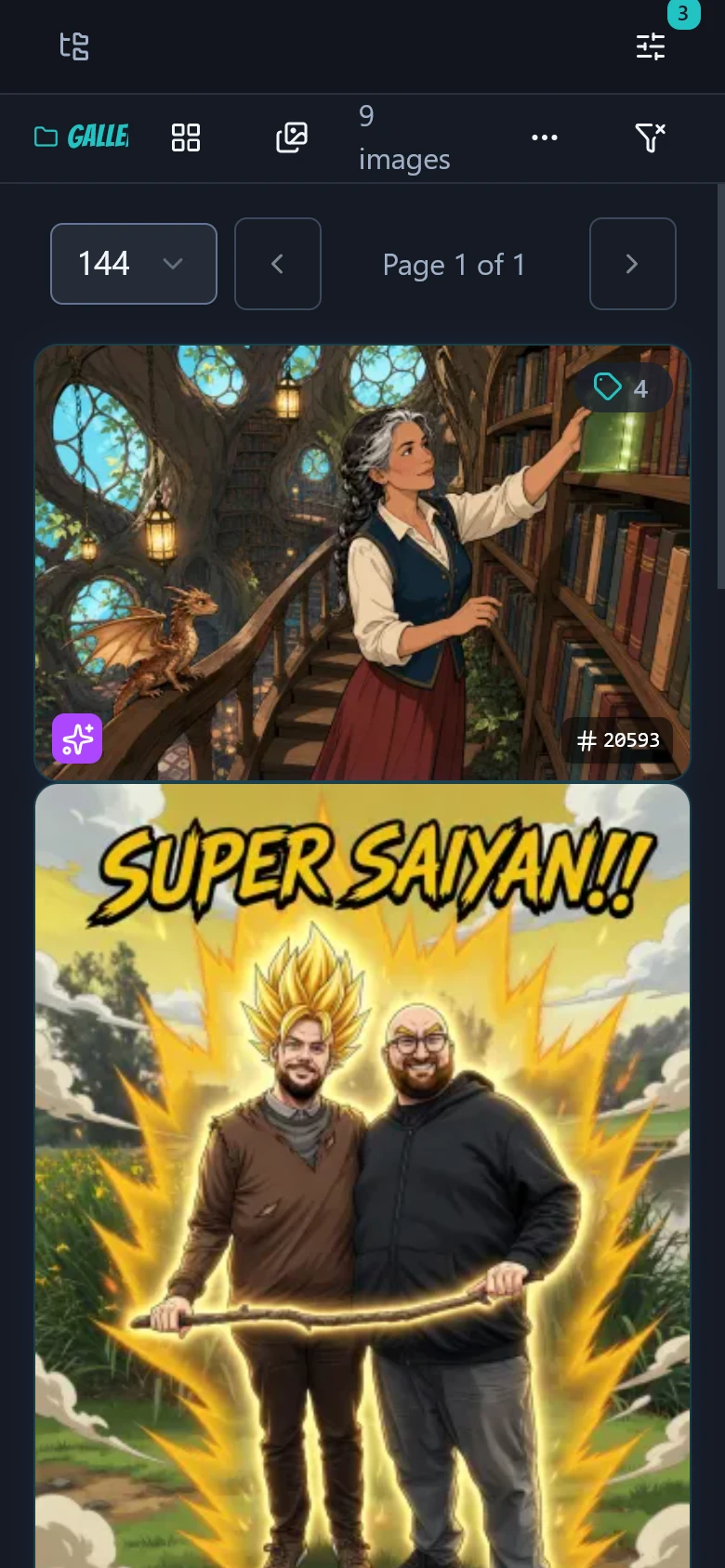
One gallery to navigate
In November 2025 I brought separate browsing and gallery screens together. Organisation and viewing could happen in the same place, with a tree and bulk assignment.
Case study 01 / PanelForge
A web workspace for images, conversations and coding-session history. Built around finding a result again, revising it and keeping its context.
One reference. One colour change.Compare the generated images.Two generated outputs, with the original retained.An actual image revision
This newly generated blue teapot was the sole reference for a revision: turn its red lid and handle mustard yellow.
Web previews are resized and compressed. The JPEG links download the exact saved files.
The original file is unchanged. PanelForge’s gallery links the revision back to it.
The edit keeps the composition recognisable. This is a generative result judged by inspection; it does not establish pixel-perfect preservation.
Returned video: 1172 × 786, four seconds.
What happens: The blue teapot stays in place as steam rises and clears. Its red lid and handle gradually turn mustard yellow.
Download the silent motion studyPanelForge used the original as the start frame and the revision as the end frame in one WAN 2.7 render. The actual render, save, poster and download paths were checked in an isolated workspace.
Requested: four seconds, 720p and 16:9. Returned: 120 frames at 1172 × 786, plus audio. This preview removes that audio without changing the video frames or timing.
The steam and colour timing differ from the prompt. This is a generative result; repeatability was not tested. Provider-reported usage was $0.50 against a $0.40 estimate, without an independent invoice check.
Read the motion study checksTwo completed PanelForge jobs, using Gemini 3.1 Flash-Lite Image on 15 October 2026. The second used only the new original as its reference. These captures review the completed generations.
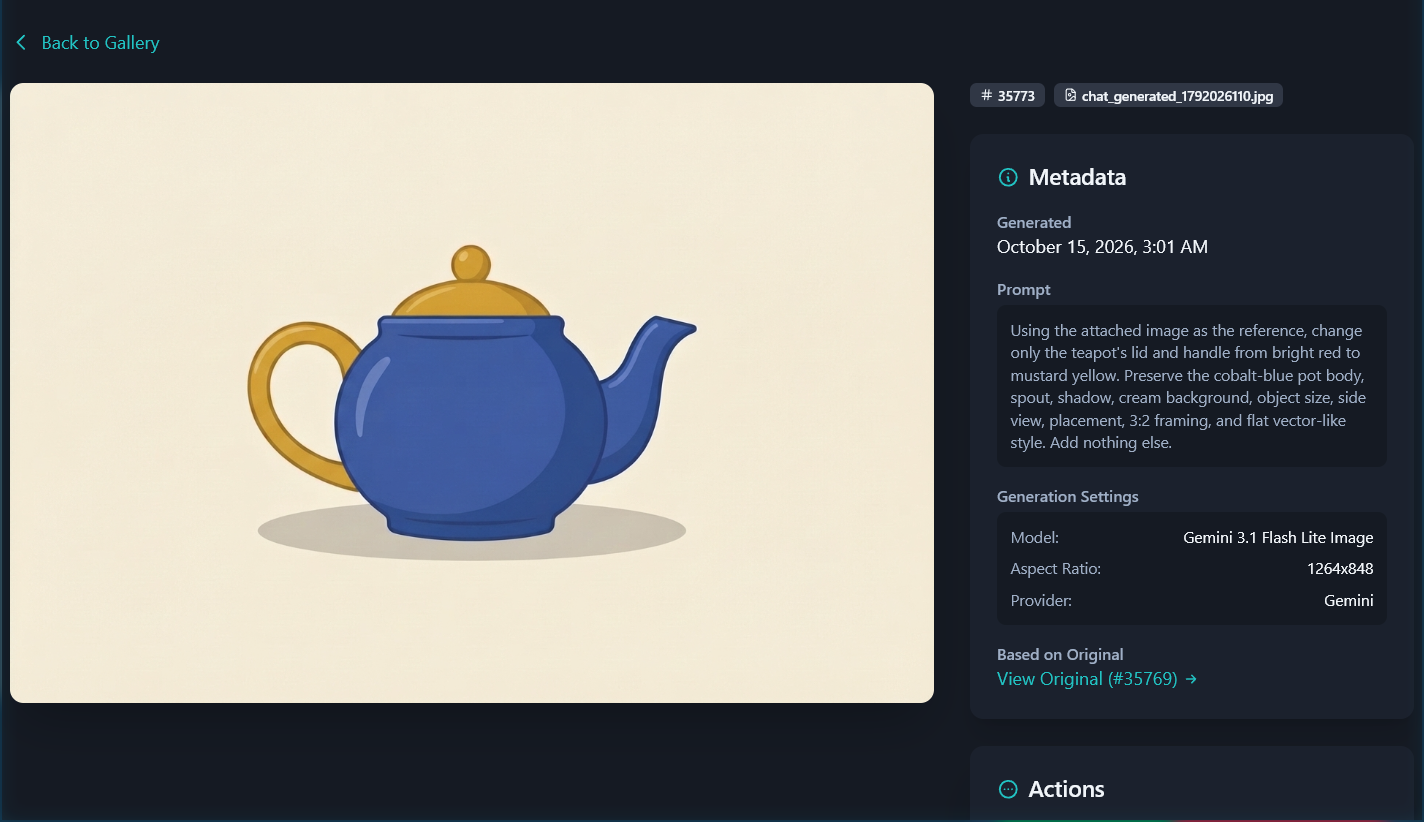
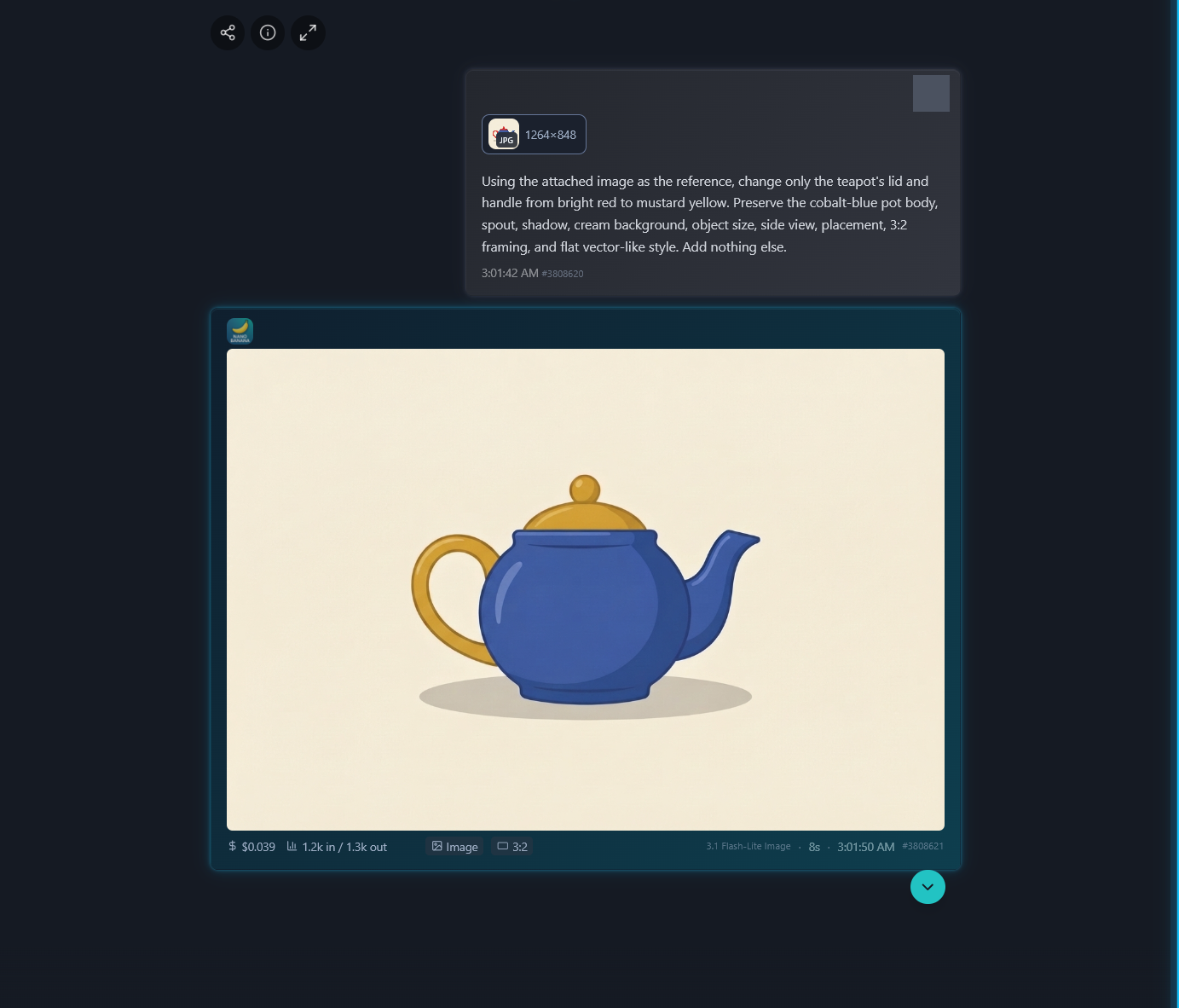
Recorded job costs total $0.082965. This is the cost returned by the two jobs, without an independent invoice check. Requested size: 1K, 3:2; returned images: 1264 × 848.
Read the file and reference checks01The starting point
Finding the right version later, changing part of it, and keeping its references together take a workspace. I started PanelForge with projects, scenes and panels, a gallery, and painted masks for image revision.
Image editing now lives in chat: attach a gallery reference, describe a change and keep the result connected to its original. Conversations and coding sessions give other work a home in the same application.
The gallery brings asset browsing and organisation into the same interface.Select the image to explore the details.
02What the workflow looks like
Workspaces contain projects, scenes and panels. The gallery shows that hierarchy alongside images, audio and documents, so an asset can keep its context after the first task.
The teapot demonstration attaches one original image to an editing request. Its new result retains the gallery link back to that original. Editing a past chat instruction follows a separate branching path.
Code History presents imported coding sessions as a list, a day view and a weekly digest. A session preview lets someone skim before opening the full transcript.
Recorded in the product
Live web application · existing generated artwork · edited recording
Open an image from a safe-for-work gallery, inspect its original prompt and generation information, collapse the metadata panels, and return to the collection. The recording browses existing artwork.
03Design + engineering
In November 2025 I brought separate browsing and gallery screens together. Organisation and viewing could happen in the same place, with a tree and bulk assignment.
I moved image ownership and placement into each user’s relationship with an asset. One shared image can then have a different context for each person, instead of forcing everyone into the same folder structure.
I removed the NativePHP/Electron wrapper in March 2026 and kept the web application as the maintained product. The later workspace migration also retired older Lightroom and iCloud export actions.
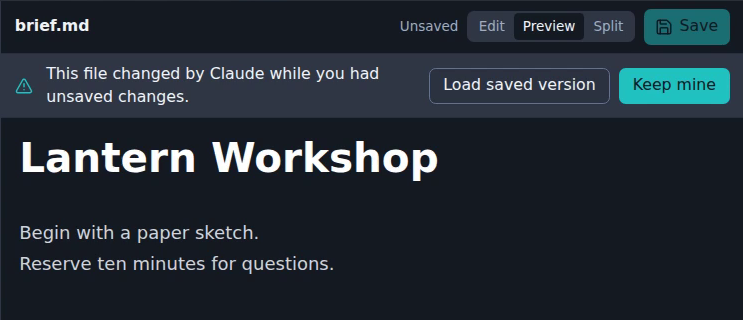
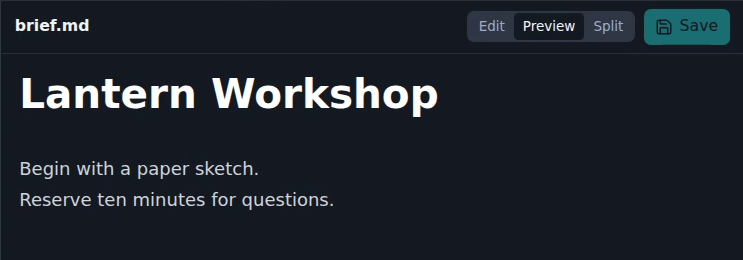
One browser held an unsaved ten-minute draft. A tool edit changed the saved note to a cardboard model. The other browser picked up that change; the first kept its draft and showed a choice.
Actual PanelForge, in an isolated recorded run. Two browsers shared one fictional account. A controlled MCP tool edit travelled through the real API and Reverb updates. No model ran.
Observed excerpts from the fictional Lantern Workshop note
Begin with a paper sketch.
Reserve ten minutes for questions.
Begin with a cardboard model.
Reserve five minutes for questions.
Begin with a paper sketch.
Reserve ten minutes for questions.
Keep mine saved the whole draft, replacing the saved file. The cardboard change was replaced. This is whole-file replacement, not a merge.
These are quotations from the recorded states, not an editor. Both browsers showed the final wording, including after the second browser reloaded.
Scratch notes are short-lived cache-backed records, separate from project files. Each expires seven days after its last write; reads do not renew it.
A continuous 15.24-second excerpt at original speed, ending after the other browser reloads. Only the browser bars were cropped away; both real clients and their controls remain. The app’s “Claude” label means a controlled tool edit here, with no model.
The pinned, unchanged PanelForge web-v10.21.2 and MCP v5.12.0 used a disposable account, database and cache. The actual tool handler called the actual service-key middleware with fixture credentials. Two authenticated clients received real metadata-only Reverb events; the clean client fetched the saved content separately.
Native New file first created an empty revision 1. The authored save was revision 2, the controlled tool edit revision 3, and Keep mine revision 4. The dirty client retained its draft throughout the conflict. Upstream gateway authentication and model inference were outside this run.
The original focused checks recorded 24 PHP tests with 305 assertions and 63 Vue tests. A separate controlled-clock check of the unchanged service verified expiry after each file’s last write and that reads do not renew it. That check did not wait seven real days.
Read the selected Scratch Pad receiptExplore the individual features
Code History
Many short sessions made the weekly view hard to scan. Daily digests give it structure; a session peek adds context before opening the full conversation.
Actual app. Synthetic sessions.The transcript includes an unreleased two-line UI fix. These are saved captures, with no live agent or analysis running here.
The silent recording follows Week, Day, List, a session peek and the imported transcript, including its reload. The original app frames retain their loading transitions; the captions identify the synthetic archive and unreleased fix.
Read the scene captionsFour sessions were written by hand and imported through the app’s actual endpoint into a disposable database. The real parser, projection and summary services produced the views shown here. No model response or analysis was generated during the proof.
The archive bytes and rows were retained. Login and view preferences can write separate state. Narration is a separate derivative action and was not used. The small $0.00 day totals aggregate absent costs; they are not measured spend.
The tagged source rejected archive edits on the server while still exposing edit actions in the interface. The two-line UI fix hides those actions for imported sessions. It is private and unreleased.
Read the concise source and file receipt04Selected release history
These are historical changes recorded in repository tags. The capture and current-state notes below describe what is being shown here.
PanelForge brought browsing and the gallery together, with a project tree and bulk assignment. Viewing and organising an image could happen in the same place.
web-v3.0.0Audio and document assets joined images in the gallery, extending the same organisation to other media.
web-v6.0.0The release reduced conversation payloads and changed timeout and reload handling after a long mobile loading hang. It treated opening a chat on a phone as a product problem.
web-v9.12.0Workspaces became the top level of organisation. Migration and move support carried existing assignments into the new structure.
web-v10.0.0Code History gained a session peek. A weekly digest could now lead to a quick preview before someone opened the full transcript.
web-v10.20.95Read-only coding transcripts gained the full pane. This followed patches for digest cards, session previews and selecting human-written prompts for those previews.
web-v10.20.97About the material shown here
Selected screenshots and edited recordings accompany changes checked against repository history through October 2026.
The gallery captures show the working product. The teapot comparison uses two actual Gemini image jobs initiated through PanelForge MCP on 15 October 2026, with the new original as the sole editing reference. They run in separate conversations connected by image lineage; the interface captures review the completed jobs. The Branch Lab separately runs the actual interface and fork service in a controlled local fixture. Its answers are seeded, its comparison footage includes a disclosed unreleased source fix, and no model inference is claimed for that branch run.
The first image and revision loop was working in May 2025. The releases below trace the product’s changes through October 2026.
Product imagery uses selected material prepared for this portfolio. Recordings show the interface in use. Architecture graphics describe system relationships and do not show live service availability.