Give the human a view of the browser action.
The problem
A remote supervisor needs to see whether a browser interaction reached the expected screen. Adding every image to model input also increases the payload.
A recorded observer image
See the page
after the click.
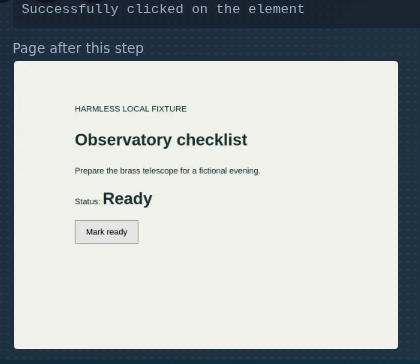
The click returned its normal result. Separately, the observer captured that page for the person reviewing the work. PanelForge’s actual tool card displayed the saved screenshot and opened it at full size.
Actual browser action and PanelForge viewer, with a fictional local page and saved conversation. Object storage was a local test service. No model ran.
- Tool response
The original MCP action response was forwarded unchanged. No observer image or reference was added.
Successfully clicked on the element
Selected actual tool output. The screenshot supplies the visible page state.
- Human view
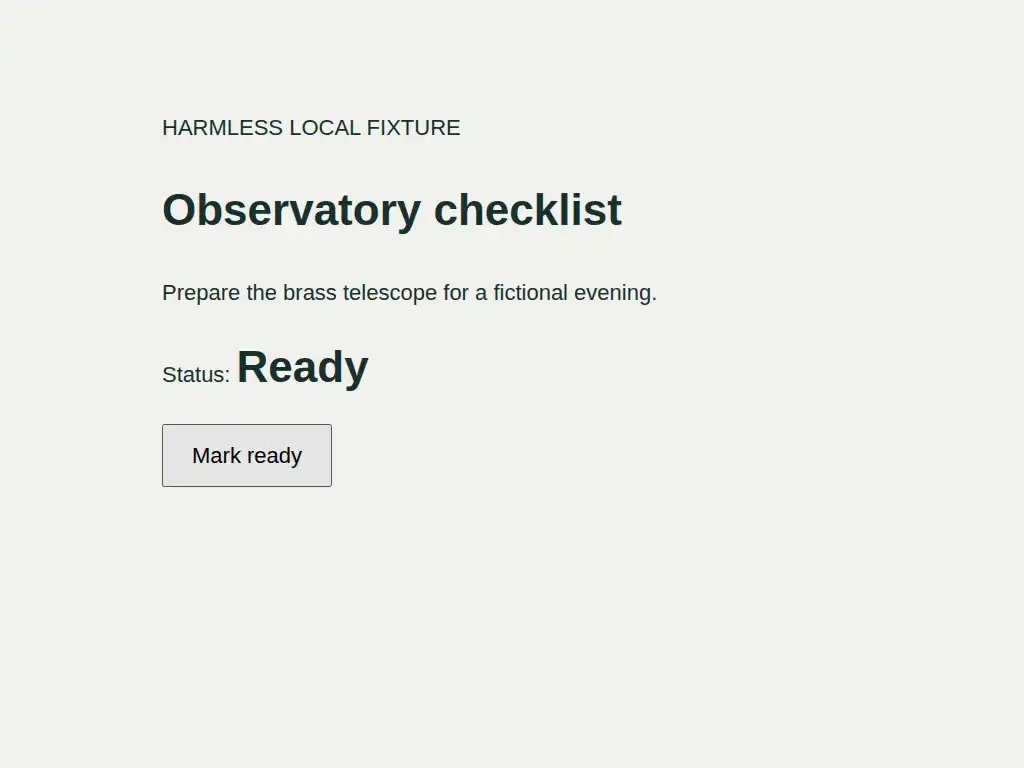
A separate 1024 × 768 screenshot showed the checklist’s Ready state. Its bytes matched the image served to the tool card and opened in the real viewer.
Open the actual observer imageA saved image, not a new browser action.
Source and test boundaries
The main proof made one observed click and one upload. A separate early plain MCP gate checked clicking and capture. Unchanged Metaclaude v0.1.41 proxy/helper and chrome-devtools-mcp 1.10.1 ran in Chrome for Testing 156.0.8078.4. The saved result was checked on 15 October 2026.
PanelForge web-v10.20.97 used its actual tool card, observation endpoint, BorgStashReader and PhotoSwipe viewer. A synthetic completed tool row preserved the actual tool identity, arguments and result text. The surrounding conversation and one-second display timing were authored fixture metadata, not agent output or measured click duration.
A local fake HTTPS object receiver and filesystem-backed storage adapter replaced R2. The guest endpoint returned 401; the admin endpoint returned 200 after expansion. The card and lightbox decoded the same pixels as the stored WebP. This does not test real R2 authentication, engine/archive ingestion or an installed Claude hook lifecycle.
No Claude or Codex CLI, model or provider inference ran. The measured statement is unchanged MCP client response bytes; the human client requested its image separately. This is not a model-input comparison during inference or a general pass/fail check for the page.
Denied preference writes produced a fetch error, a decorative splash was absent, and no provider was configured. Those retained fixture limits did not prevent the selected observation and viewer result.
The card detail is an exact crop of a frame from the later review of the completed observation. No pixels were regenerated. The linked WebP is the unchanged 11,426-byte observer image, including its standard sRGB metadata.
Read the concise observer receiptWhat this makes possible
I added browser screenshots that a human can inspect beside a tool result, without adding those observer images to the model’s input.
Source information sheet
Evidence, implementation & history Historical delivery checked
What I checked
October records support historical delivery. The 15 October isolated check exercised the original proxy/helper and actual PanelForge viewer with a fictional page, saved rows and local test storage. The client action response stayed unchanged; no model ran. Fleet availability and retention were not checked.
Research cut: 15 October 2026. Source areas below are from metaclaude, claude-engine, panel-forge. Private conversation references are retained in the research ledger and are not published here.
Implementation decisions
The browser proxy captures the tab after a supported action, uploads a compressed image separately and forwards the original action response unchanged.
An expanded Claude tool card in PanelForge can request that image through a separate authenticated endpoint. The inspected path is specific to the Claude browser setup; availability and retention on individual installations need a live check.
A path through the feature
- Perform a browser action
Use the Claude observer path for a specifically targeted tab.
- Inspect the human-facing image
Check the tool-card screenshot against the intended action. A visual result helps supervision without claiming the interaction passed every functional check.
Source areas
metaclaude/bin/chrome-devtools-observer-proxy.mjsmetaclaude/hooks/chrome-observer.mjspanel-forge resources for tool-card image displaypanel-forge ToolObservationController and BorgStashReader
The 15 October check used the original proxy/helper, a real standalone MCP click and the actual PanelForge viewer. The client action response remained byte-identical while the human card fetched the separate screenshot. The fictional page, saved rows and local object-storage fixtures are disclosed; no model ran or real R2 service was tested.
Recorded history
Dates describe the researched record, rather than today’s deployment.
Adding human-only browser observer screenshots
Verifying independent browser tabs
Checking a fictional click and its separate human-view image